SIEMENS
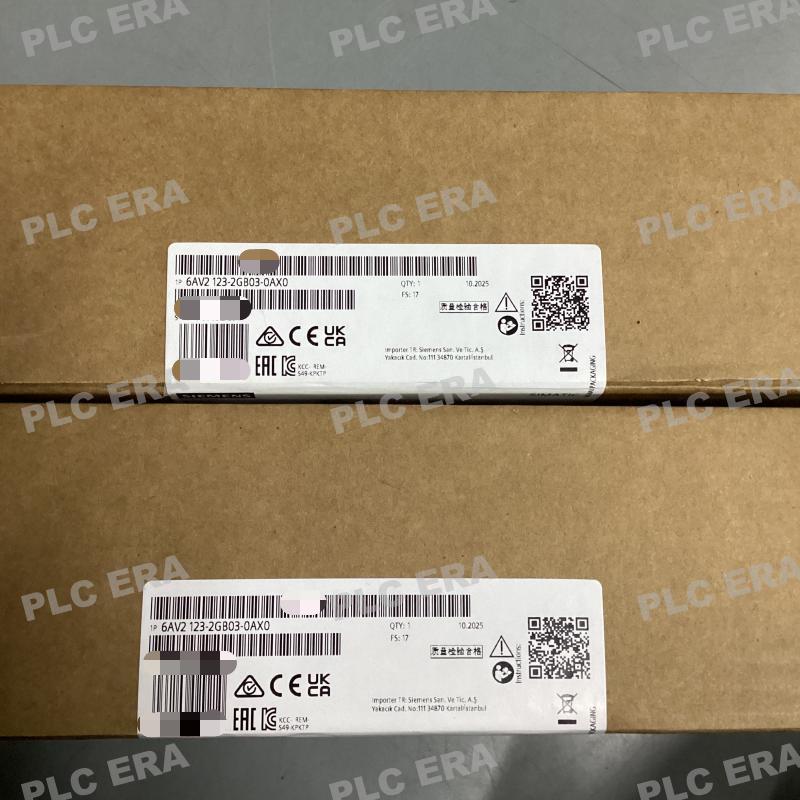
6AV2123-2GB03-0AX0 KTP700 Basic 7" Touch HMI PROFINET | Siemens
6AV2123-2GB03-0AX0 KTP700 Basic 7" Touch HMI PROFINET | Siemens
18 in stock
Couldn't load pickup availability
The Original New Siemens 6AV2123-2GB03-0AX0 SIMATIC HMI KTP700 Basic Color PN is a 2nd generation basic operator panel designed for simple visualization and machine-level control tasks in industrial automation systems. Combining key and touch operation on a 7-inch TFT widescreen display with 65,536 colors, this panel provides intuitive, cost-effective HMI functionality for small to medium machine applications. Configured via WinCC Basic V13 or STEP 7 Basic V13 within the TIA Portal engineering framework. PROFINET interface ensures seamless integration with SIMATIC S7 controllers and third-party devices supporting Modbus TCP/IP.
Core Engineering Highlights:
7" TFT widescreen display | 800 x 480 resolution | 65,536 colors | Key + touch operation | 8 programmable function keys | PROFINET interface | USB host port | 10 MB user memory | ARM processor | IP65 front protection | 24V DC | 0°C to +50°C operating
Key Features:
-
Original New Siemens 6AV2123-2GB03-0AX0 panel
-
8 programmable function keys for quick access to frequently used functions
-
Analog-resistive touch screen with onscreen numeric and alphanumeric keyboards
-
Integrated PROFINET interface (Ethernet) for controller communication
-
USB host port for connecting keyboard, mouse, or barcode scanner, up to 16 GB storage support
-
Configurable from WinCC Basic V13 / STEP 7 Basic V13 (TIA Portal)
-
Maximum permissible inclination without external ventilation: 35°
Applications:
-
Simple machine-level visualization and operator control
-
Production line monitoring and data entry
-
Packaging machinery HMI
-
Material handling equipment control
-
OEM machine automation systems
-
Small to medium machine control applications
-
Cost-effective HMI solutions requiring PROFINET connectivity
-
Vertical or landscape mounting in space-constrained panels
Technical Specifications:
System Compatibility:
-
Siemens SIMATIC S7-1200 controllers (via PROFINET)
-
SIMATIC S7-1500 controllers (via PROFINET)
-
SIMATIC S7-300 / S7-400 controllers (via PROFINET)
-
Third-party controllers supporting PROFINET or Modbus TCP/IP
-
TIA Portal engineering framework (WinCC Basic V13 / STEP 7 Basic V13 or higher)
-
USB peripherals (keyboard, mouse, barcode scanner)
Typical System Architecture:
24V DC Power Supply
↓
6AV2123-2GB03-0AX0 KTP700 Basic HMI Panel (Front Panel Mount)
│
├── PROFINET Interface → S7-1200 / S7-1500 Controller
├── USB Host → Keyboard / Mouse / Barcode Scanner
│
↓
TIA Portal Engineering (WinCC Basic V13 / STEP 7 Basic V13)
↓
Machine / Process Visualization and Control
Related Products:
-
6AV2123-2GA03-0AX0 – KTP700 Basic DP (PROFIBUS interface)
-
6AV2123-2DB03-0AX0 – KTP400 Basic PN (4" display)
-
6AV2123-2JB03-0AX0 – KTP1200 Basic PN (12" display)
-
6AV2123-2GB03-0AX0 – This model, KTP700 Basic PN (7" display)
-
6AV6643-0CD01-1AX1 – MP 277 10" Touch (legacy replacement consideration)
-
6AV2124-0QC02-0AX1 – TP1500 Comfort (higher performance alternative)
-
6ES7274-1XF30-0XA0 – SIMATIC HMI SD card for data logging
PLC ERA is an independent industrial automation distributor supplying 100% genuine Original New products through established global supply channels. Siemens, SIMATIC, KTP700, TIA Portal, WinCC, and STEP 7 are trademarks of Siemens AG.
Share